

How many promising candidates have slipped through the cracks simply because their CV got buried in an inbox?
When recruitment applications come through email and WhatsApp, it doesn't take long for things to get messy. You start losing track of who's been shortlisted, whose interview has been scheduled, and which candidates are still waiting for feedback.
What should be a straightforward recruitment process quickly turns into a frustrating exercise of searching through messages, updating spreadsheets, and trying to remember who's responsible for the next step.
Does this sound familiar?
If the answer is yes, then it’s high time you got an applicant tracking system (ATS). An ATS gives recruiters a central place to manage applications, track candidates, coordinate interviews, and keep hiring teams informed.
In this guide, we'll explain what an ATS does, explore its key features and limitations, compare several platforms, and walk through what to consider when choosing one for your business.
What is an applicant tracking system (ATS)?
An applicant tracking system (ATS) is software that helps businesses manage job applications and keep track of candidates throughout the hiring process. Most ATS platforms are offered as software-as-a-service, and they are hosted in the cloud so you don’t need to download and install them on a local machine. An ATS brings recruitment information into one place, so recruiters don't have to rely on scattered emails, spreadsheets, and paper files to work out who's applied, who's been shortlisted, and who's ready for an interview.
Think of it as a central workspace for your recruitment team. When someone applies for a job, their details can be stored in the system, reviewed by recruiters, and moved through different hiring stages. The team can also use the system to coordinate interviews, record feedback, and keep track of communication with candidates.
Depending on the platform, an ATS may also support job posting, CV screening, recruitment reports, and automated notifications. Some systems offer AI-powered features, too, although these aren't a requirement for a tool to qualify as an ATS.
That's an important distinction. An ATS doesn't necessarily make hiring decisions for you. Its primary role is to organize applications and help recruiters manage the hiring process. Recruiters and hiring managers still need to assess candidates, apply appropriate selection criteria, and make informed decisions.
An ATS is also different from a human resource information system (HRIS). An HRIS generally focuses on employee records and ongoing HR activities, while an ATS focuses on recruitment. Some HR platforms like rézoluHR combine both functions, allowing businesses to manage hiring and employee information through a connected system.
For a growing business, the practical benefit is straightforward: instead of searching through multiple files and asking colleagues for updates, the recruitment team can see where candidates stand and what needs to happen next.
What does an ATS do? Key features explained
An applicant tracking system does more than store CVs. It helps recruiters manage the different stages of hiring, from publishing a vacancy to communicating a final decision. The exact features vary by platform, but most ATS tools are designed to make recruitment easier to organize and track.
Here are five features worth understanding before choosing a system.
1. Job posting and application collection
When you're recruiting for several positions, collecting applications can quickly become a task of its own. Some ATS platforms let you create job adverts, publish them through supported channels, and collect applications in one place.
Instead of copying candidate details from emails into a spreadsheet, recruiters can review applications through a central dashboard. This makes it easier to keep track of applicants and reduces the need to maintain separate records for every vacancy.
For example, if your business is hiring a sales representative and an accountant at the same time, you can organize applications under the relevant vacancies rather than mixing them together in one inbox.
2. CV management and candidate tracking
An ATS creates candidate records and helps recruiters follow each applicant through the recruitment process. Depending on the system, you might organize candidates into stages such as Applied, Shortlisted, Interview, Offer, and Hired.
This gives the hiring team a clearer picture of what's happening with each vacancy. Recruiters can identify candidates who need follow-up, find applications more easily, and see where progress has stalled.
It's particularly useful when several recruiters or hiring managers are involved. Rather than asking colleagues for updates, team members can refer to the same candidate records.
3. Screening and shortlisting
Reviewing applications takes time, especially when a vacancy attracts a large number of candidates. Some ATS platforms allow recruiters to filter applications using job-related criteria, such as qualifications, skills, or relevant experience. Others offer more advanced screening tools, including AI-assisted features.
These tools can help narrow down a large pool of applications, but they shouldn't replace careful evaluation. A candidate's use of particular keywords doesn't necessarily demonstrate competence, and a qualified applicant may describe their experience differently from the wording in a job advert.
Recruiters should therefore review screening results, use consistent selection criteria, and check that automated processes don't unfairly disadvantage suitable candidates.
4. Interview scheduling and candidate communication
Recruitment involves more than reviewing CVs. Recruiters also need to arrange interviews, share information with hiring managers, collect feedback, and keep candidates informed.
An ATS can bring these activities together. Depending on the platform, it may support interview scheduling, feedback collection, shared candidate notes, and automated application updates.
The benefit is practical: fewer missed follow-ups and less time spent chasing information across different channels. Candidates are also more likely to receive timely updates when communication is built into the recruitment workflow.
5. Recruitment reporting and analytics
How long does it take your business to fill a vacancy? Which recruitment channels produce suitable candidates? At what stage do applicants tend to drop out of the process?
Recruitment reporting can help answer these questions. Many ATS platforms offer reports on measures such as time to hire, candidate progress, and recruitment sources.
These insights can help HR teams identify bottlenecks, review recruitment spending, and decide where to improve their processes. However, reports are only as useful as the information recorded in the system, so teams need to maintain accurate and consistent records.
How these features work together
Imagine your company is recruiting several sales representatives. Applications arrive through different channels, interviews need to be scheduled, and hiring managers want regular updates.
With an ATS, your recruitment team can collect applications, organize candidates by vacancy, record interview feedback, and identify which applicants need follow-up. Recruitment reports can then help you understand how quickly the positions are being filled and where delays occur.
The result isn't automatic or guaranteed. Your team still needs clear job descriptions, fair selection criteria, and an organized hiring process. An ATS simply gives you tools to manage those activities more effectively.
Why businesses use ATS software
Recruitment can become difficult to manage when applications, interview notes, and hiring decisions are scattered across different tools. An applicant tracking system can help bring these activities together, but whether it makes a meaningful difference depends on your team's needs and how you use it.
Let's look at the main benefits, along with a few limitations worth considering before investing in recruitment software.
Less time spent on administrative work
Recruiters often spend a significant amount of time organizing applications, updating spreadsheets, scheduling interviews, and following up with candidates. An ATS can bring many of these activities into one place, reducing the need to switch between tools and maintain duplicate records.
For a small HR team managing several vacancies, that can make day-to-day recruitment easier to coordinate. Rather than searching through email threads for interview notes, recruiters can access candidate information from a shared system.
The actual time saved depends on the platform, the recruitment process, and how consistently the team uses the software.
A better candidate experience
Candidates want to know what happens after they submit an application. When communication is inconsistent, they may be left wondering whether their application has been received, whether interviews have been scheduled, or whether a decision has been made.
An ATS can help recruiters manage these interactions through organized workflows, interview coordination, and application updates. Some platforms also support automated notifications, allowing candidates to receive information without requiring a recruiter to send every message manually.
However, technology alone won't create a good candidate experience. Clear communication, reasonable application requirements, and respectful treatment still matter.
Better collaboration across the hiring team
Recruitment decisions often involve more than one person. A recruiter might screen applications, a department manager might conduct interviews, and another decision-maker might approve the final candidate.
Without a shared process, important feedback can get lost or decisions can be delayed while people wait for updates.
An ATS can give authorized team members access to relevant candidate information, interview notes, and recruitment progress. This makes it easier to coordinate responsibilities and see what needs attention.
More visibility into recruitment performance
It's difficult to improve a recruitment process if you don't know where the problems are. Recruitment reports can help HR teams monitor measures such as time to hire, candidate progression, and the sources through which applicants discover vacancies.
For example, if candidates regularly wait too long between shortlisting and interviews, recruitment data may help the team identify that stage as a bottleneck. If one recruitment channel consistently attracts suitable applicants, the business can investigate whether it deserves more attention.
These insights can support better decisions about recruitment processes and spending. They are most useful when the underlying data is accurate and the metrics are interpreted in context.
An ATS won't fix a broken recruitment process
There's one more point worth considering: recruitment software can organize a process, but it can't automatically make that process fair or effective.
If job descriptions are unclear, selection criteria are inconsistent, or hiring managers take too long to provide feedback, an ATS won't resolve those issues simply by being installed.
Before investing in one, identify what's going wrong in your current process. Then determine which problems software could realistically help you solve.
The goal is to improve hiring, not just move existing problems into a new system.
Examples of applicant tracking systems: platforms worth comparing
If you're considering an applicant tracking system, it's worth comparing a few platforms before settling on one. Some focus primarily on recruitment, while others combine hiring tools with broader human resource management features.
Here are four options to consider, depending on your team's needs.
1. rézoluHR
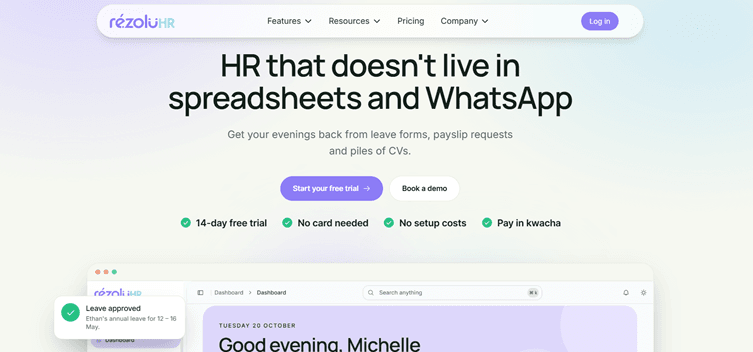
rézoluHR is an all-in-one HR platform built for growing teams that want to replace scattered spreadsheets, WhatsApp messages, and manual payroll calculations with one connected system. Its recruitment module brings applications, candidate screening, interview scheduling, and hiring progress onto a single board, while its AI assistant ranks CVs against a role so recruiters can focus on the strongest candidates first.
What makes rézoluHR especially compelling is that recruitment does not stop at the offer. The platform connects hiring to onboarding, employee records, leave management, payslips, performance reviews, offboarding, and HR analytics. This helps businesses manage the full employee lifecycle without switching between tools.
For organizations operating in Malawi, rézoluHR also stands out for its local-first approach. It calculates PAYE using current MRA tax bands, generates payslips in kwacha, and supports payment through card, bank transfer, TNM Mpamba, or Airtel Money.
rézoluHR is worth comparing if your business wants an affordable, locally relevant HR platform that combines applicant tracking with the everyday HR processes that follow a successful hire. Before deciding, review its reporting needs and whether the Enterprise plan provides the support and customization your organization requires.
Pros: all-in-one HR modules, AI CV screening, robust features, more affordable than other ATS platforms
Cons: advanced enterprise needs may require the Enterprise plan
2. Workable
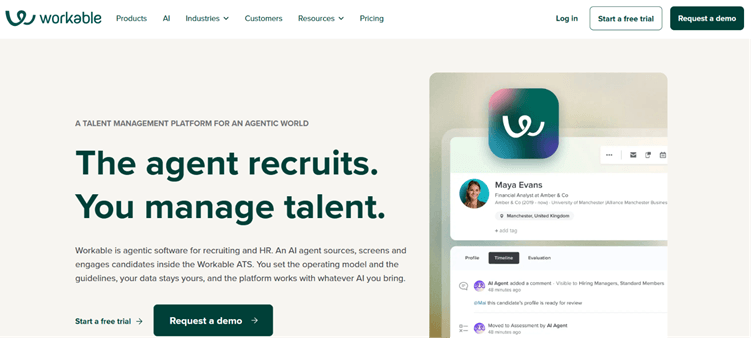
Workable combines recruitment tools with broader HR capabilities. Its recruiting features include job posting, candidate management, interview scheduling, collaborative evaluation, and recruitment reporting.
It's worth considering if your business wants to manage several parts of recruitment through one platform, particularly when multiple people are involved in hiring decisions. Workable also offers integrations with email, calendar, and video conferencing tools.
Before choosing it, review the available plans, the costs for your organization's size, and any additional charges for features your team needs.
Pros: Easy ATS, broad job-board reach
Cons: Recruiting extras can cost more, reporting is relatively basic/limited in customization
3. Zoho Recruit
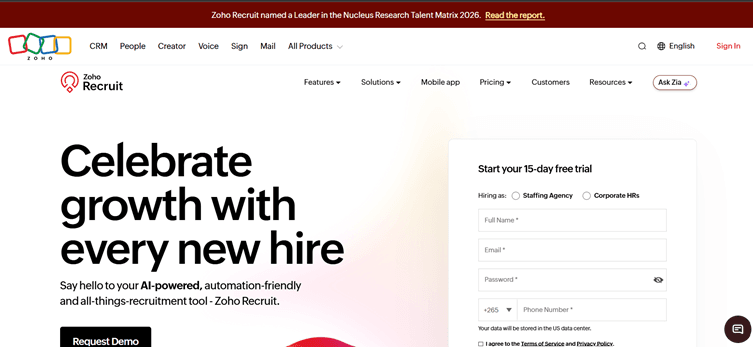
Zoho Recruit provides applicant tracking and recruitment workflow tools for corporate HR teams and staffing agencies.
Its features include candidate management, resume management, interview scheduling, hiring pipelines, and recruitment reports. Depending on the plan, users can also access additional automation, integrations, and AI-assisted recruitment features.
Zoho Recruit is worth evaluating if you want to compare different recruitment plans and configure workflows around your hiring process. Pay particular attention to active-job limits, recruiter licences, and which features are available at each pricing tier.
Pros: Free entry plan, strong customization, automation
Cons: Interface can feel dated/clunky, useful features are often add-ons, setup/customization can take time
4. Sage HR
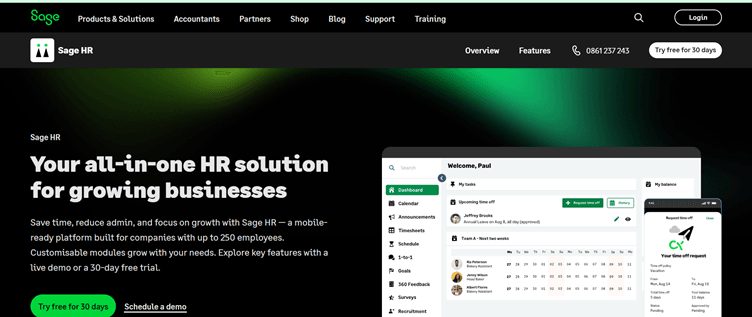
Sage HR combines employee management with modular HR capabilities, including recruitment functionality.
Its recruitment module supports activities such as managing vacancies, tracking applicants through hiring stages, scheduling interviews, and evaluating candidates using scorecards. Keeping recruitment alongside other HR activities may be useful for businesses that want a more connected approach to people management.
However, recruitment functionality may depend on the modules available to your account. Confirm which features are included, what they cost, and whether the system fits your existing HR processes before committing.
Pros: Simple leave, records and HR workflows, generally easy to learn
Cons: Advanced features may require extra modules, limited advanced functionality
5. BambooHR
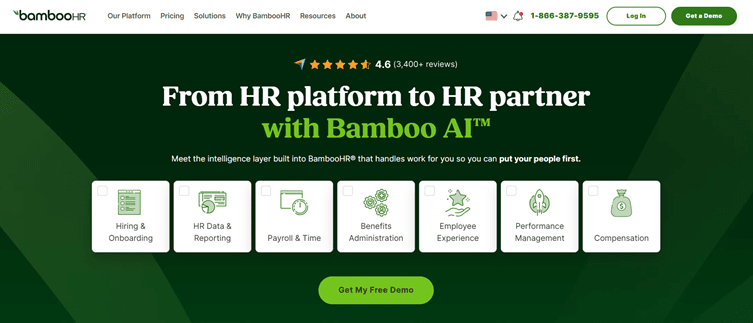
BambooHR offers an applicant tracking system alongside broader HR management capabilities.
Its recruitment features include candidate tracking, collaborative reviews, candidate communication, offer letters, and recruitment reporting. The wider platform also supports activities such as employee records and onboarding, which can help connect hiring with the next stage of the employee lifecycle.
BambooHR is worth comparing if your business wants recruitment software that works alongside its broader HR processes. Before making a decision, check plan availability, pricing, integrations, and whether the platform meets your organization's local requirements.
Pros: Broad HR suite: employee records, time off, onboarding, payroll, benefits, ATS
Cons: Reporting and customization are common complaints, payroll is U.S.-focused and may not suit non-U.S. operations without workarounds
Make recruitment easier, not more complicated
An applicant tracking system can help your business organize applications, coordinate interviews, and keep recruitment moving. If your recruiters are constantly searching for CVs, chasing interview feedback, or struggling to keep candidates informed, an ATS is worth the investment.
Before choosing a platform, take a closer look at your recruitment process. Identify the biggest bottlenecks, establish a realistic budget, and compare systems against the features your team actually needs. If possible, test your shortlisted options using a real-world recruitment scenario before committing.
For businesses in Malawi and other African markets, remember to consider the total cost, mobile usability, available support, and how candidate information will be protected.
Ultimately, the best applicant tracking system isn't the one with the longest feature list. It's the one that helps your team manage recruitment more effectively without adding unnecessary cost or complexity.